Guides · For job seekers
Resume Format for ATS: What Actually Matters (and What's Myth)
The truth about ATS-friendly formatting: which layouts parse cleanly, which genuinely break, and the scare-stats you can safely ignore. Specific and honest.
Published 08/11/2026 · Updated 09/29/2026
Somewhere along the way you were told resumes get rejected by software before a human ever sees them — and probably shown a scary statistic to prove it. Take a breath. Formatting for applicant tracking systems (the ATS) is real, but it’s plumbing, not wizardry: the software needs to read your file and drop your jobs, dates, and skills into the right fields. Here’s the resume format that parses cleanly, what genuinely breaks, and the myths you can stop worrying about.
First, the myth to clear out
You’ve seen the claim that “75% of resumes are rejected by ATS before a human ever sees them.” That number doesn’t trace to any solid evidence — it’s industry folklore, repeated because it sells resume services. We won’t repeat it as fact, and you shouldn’t plan around it. What an ATS actually does is parse your resume into fields (name, titles, employers, dates, skills, education), store it in a searchable database, and let recruiters search and filter. Humans still do the reviewing. Automatic knockouts exist, but only for explicit employer-set questions — “are you authorized to work in the US,” “do you hold an active CDL” — not a robot judging your font.
So the goal of an ATS resume format isn’t to trick anything. It’s to make sure the parse comes out clean, so you show up correctly when a recruiter searches for what you actually are.
The columns question, answered honestly
The blanket advice “never use columns” overshoots. Here’s the specific truth:
- A two-column skills list — short labeled items side by side — usually parses fine. Skills are matched as individual terms, so even a jumbled read-order rarely hurts you.
- Work history in multiple columns is the real risk. Parsers that read straight across the page can stitch text from both columns into one garbled stream — attaching your dates to the wrong job, or splitting one bullet across two entries. Your work history is the part of the parse that matters most, so it gets the most conservative layout: one column, top to bottom.
If you want one rule instead of two: a single-column resume gives up nothing and risks nothing.
The resume format for ATS, element by element
- Headings: use the standard names parsers are trained on — Summary, Experience (or Work Experience), Skills, Education, Certifications. “My Journey” is charming and unparseable as a section.
- Fonts: any common system font — Calibri, Arial, Georgia, Times New Roman — at 10–12pt for body text. Fonts don’t break parsers; decorative text converted to graphics does.
- File type: .docx is the safest universal choice; a text-based PDF exported from your word processor is generally fine. A scanned or image-only PDF is the one true failure — there’s no text in it to read. Quick test: if you can select and copy the text in your PDF, a parser can read it.
- Tables and text boxes: skip them. Some parsers read tables fine; others read them in the wrong order or not at all. Text boxes are worse — content in them is frequently invisible to the parse. There’s no upside worth the variance.
- Headers and footers: keep your name and contact info in the document body, not the page header. Some parsers skip header/footer regions entirely, and your phone number is a bad thing to lose.
- Dates: give every job a start and end with month and year — “03/2021 – 06/2024” or “March 2021 – June 2024.” Years alone parse, but months let the software (and the recruiter) compute your actual tenure. Keep one format throughout.
- Graphics, icons, skill bars: decoration parses as nothing. A five-dot “Excel rating” reads as blank space; the word “Excel” in a skills list reads as Excel.
What the parser is actually extracting
Knowing the target makes the rules obvious. The software is trying to fill these fields: your name and contact info, each employer, each job title, each date range, your skills as searchable terms, your education and credentials. Every formatting rule above exists to protect one of those extractions. If a design choice doesn’t touch them, it’s probably fine; if it does — columns through your work history, contact info in a header — it’s not worth the gamble.
A before-and-after
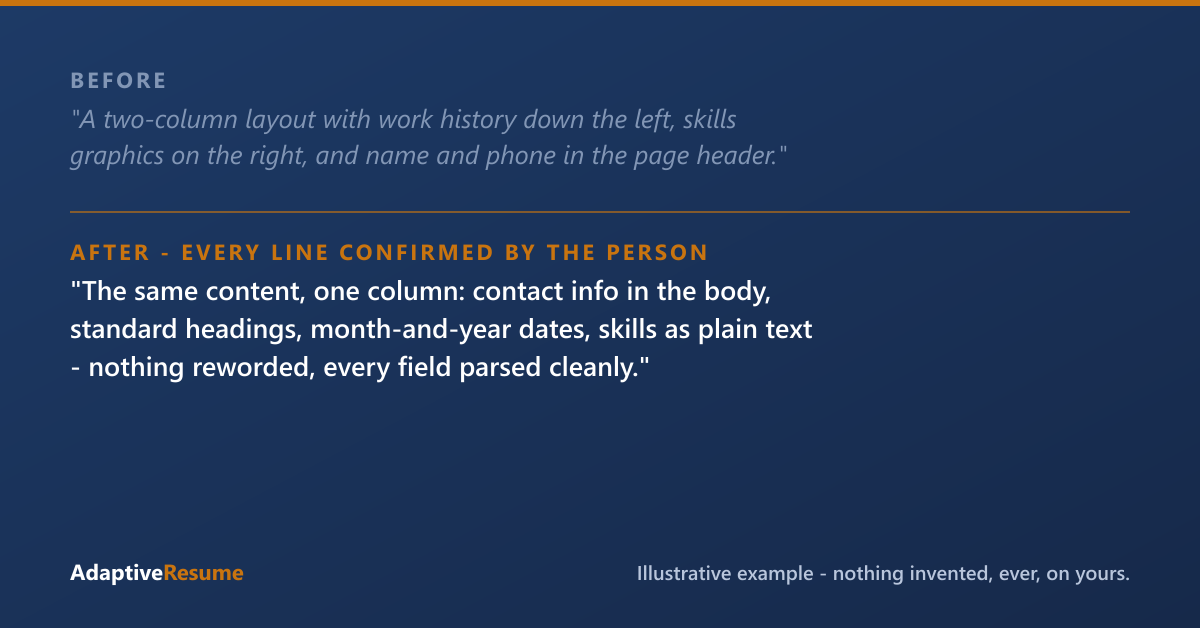
Illustrative example. Everything on your resume is yours: the experience you listed, plus the skills, tools, responsibilities, and credentials your work already involved, each added only after you confirm it’s true.
Before: A two-column layout with work history running down the left, skills graphics on the right, and name and phone in the page header.
After: The same content, one column: name and contact in the body, standard headings, the same jobs with month-and-year dates, skills as plain text. Nothing was reworded — nothing needed to be. The fix was purely structural, and now every field lands where it should.
That’s the honest scope of ATS formatting: it can’t add substance that isn’t there, and clean parsing won’t rank you above anyone. It just makes sure the system sees what’s actually there.
How we handle formatting
Our build produces a single-column, standard-heading resume that screening software reads without stumbling — then shows you every check it ran, passes and heads-ups alike, so you’re not guessing before you apply. The content itself we work out with you, working backwards from what your work actually involved; nothing lands on the page without your say-so. If you’d rather do it yourself first, the ATS-Safe Resume Skeleton below is the exact structure to build on.
Common questions
Is PDF or Word (docx) better for ATS?
Modern systems parse both when the file contains real selectable text. A .docx is the safest universal choice; a text-based PDF exported from a word processor is generally fine too. The one real failure is a scanned or image-only PDF — that's a picture of a resume, not text.
Will two columns get my resume rejected?
Nothing about a layout triggers a rejection — parsing isn't a pass/fail gate. A short two-column skills list usually parses fine. The real risk is putting your work history itself in columns, where a parser reading across the page can scramble which dates belong to which job.
Do ATS really reject 75% of resumes automatically?
No. That statistic doesn't trace to any solid evidence — it's repeated industry folklore. The typical system stores, parses, and organizes applications for humans to review. Automatic knockouts exist only for explicit employer-set questions, like work authorization or a required license.
ATS-Safe Resume Skeleton
Pop your email in and the download unlocks right here. Joining our list also takes 25% off your first purchase within 30 days of joining, when you create your account with this same email. We'll also send the occasional useful note. No spam.
Download: ATS-Safe Resume SkeletonThanks, you're on our list, and your download is ready just above. Your 25% off a first purchase is good for 30 days from the day this email joined our list.
That email didn't look right — mind trying it again?
Ready to do this on your own resume?
We'll find what you've left off, and nothing goes on your resume that you didn't give us or confirm.
Get your resume build — $29Every purchase is one payment, and nothing renews. A single resume build can be used any time within 12 months of buying it, and AR Pass builds you don't use end when its 90 days end.
Try the demo first — a sample review, no sign-up · See how the service works
Paid a resume service and got a template back? Start at Fix my resume.