Guides · For job seekers
Office Manager Resume: Scope, Systems, and the Ops Line
Office manager resumes are read for scope first — headcount supported, vendors managed, budget owned — then for the systems you run. How to write yours with real numbers, plus where an office role ends and an operations role begins.
Published 08/30/2026 · Updated 10/27/2026
Office manager hiring turns almost entirely on two things a generic resume tends to hide: scope and systems. Scope is the size of what you kept running — how many people you supported, how many vendors you managed, how big a budget you touched, how many sites. Systems is the concrete stack you ran it on — the accounting, payroll, scheduling, and office software an employer needs you productive in from week one. A resume that says “responsible for daily office operations” tells a reader neither, and it competes badly against one that says both in the first three lines.
The reason this matters more than in most roles is that “office manager” describes wildly different jobs. It can mean the one person holding together a ten-person startup, or the operations lead across four medical offices with a real budget and a team of coordinators. The reader can’t tell which one you are from the title. Your numbers have to tell them.
Lead with scope, in one line
Under each employer, give the context before the bullets — headcount supported, sites, budget or spend owned, and the size of the team you managed if any.
Before: “Responsible for daily office operations, administrative support, and vendor relationships.”
After: “Sole office manager for a ~45-person professional services firm across two sites; owned ~$400K annual facilities and supply budget, managed 20+ vendor contracts, and supervised 3 administrative staff.”
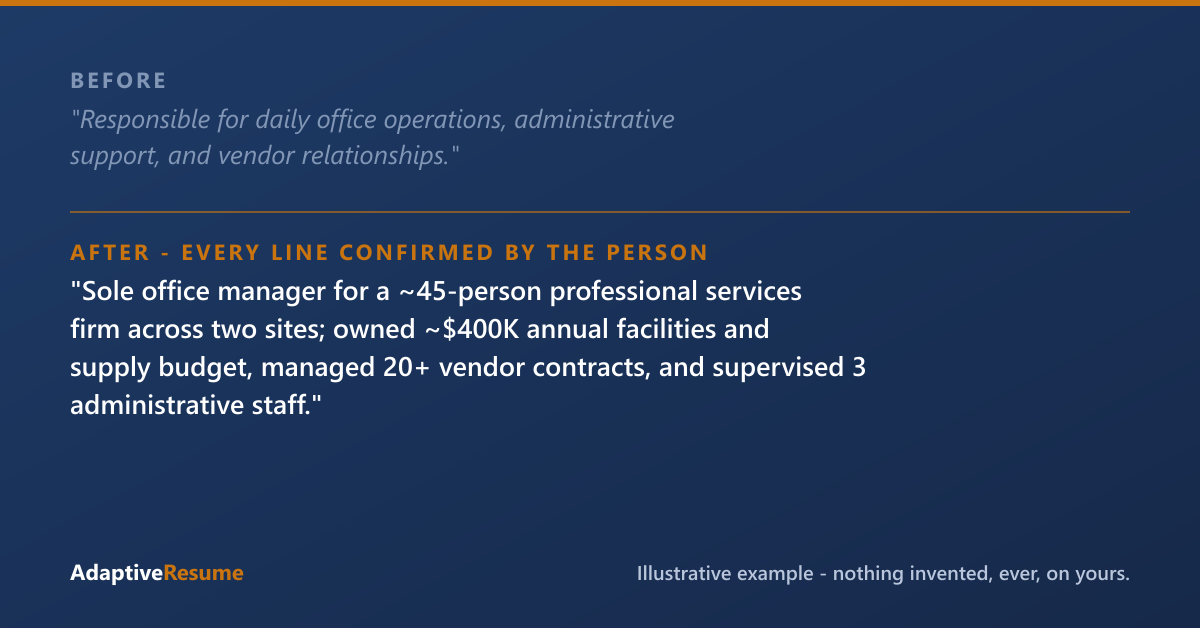
Illustrative example. Everything on your resume is yours: the experience you listed, plus the skills, tools, responsibilities, and credentials your work already involved, each added only after you confirm it’s true.
The second version is scannable in a few seconds and answers what the first leaves a reader guessing at: how big, how many, how much, and who reported to you. Every one of those is a number a hiring manager is trying to piece together from a vague resume, so hand it to them directly. If you don’t have exact figures, approximate honestly — “~45-person,” “20+ vendors” — rather than either inventing precision or leaving it blank.
The parts of the job that carry the most weight
People and HR support is often the most valuable thing an office manager does and the most under-claimed on resumes. Onboarding and offboarding, benefits administration support, PTO tracking, and running payroll are real, checkable responsibilities. Name the volume — new hires onboarded per year, headcount supported — and name the system.
Bookkeeping and finance is where numbers speak loudest. Accounts payable and receivable, expense reporting, reconciliations, invoicing, and budget tracking are all legitimate lines even if you didn’t hold the CFO title. If you ran the books in a tool, name it, because that’s a hard filter for small-business roles.
Vendors and facilities is the part employers most fear leaving unmanaged. Contract renewals, lease and landlord coordination, supply ordering, equipment and IT-vendor coordination, and office moves or buildouts are strong lines. Count the vendors; name the spend.
Scheduling and coordination — calendars managed, meetings and travel booked, events run — reads as thin when written as duties and strong when written as volume. “Managed calendars and travel for a 12-person leadership team” says more than “handled scheduling.”
Systems administration — being the person who keeps Microsoft 365 or Google Workspace, the phone system, and the office tools running — is quietly one of the most transferable skills you have. Say which platforms.
Office manager resume skills that actually get read
Skills sections fail when they list adjectives. “Organized, detail-oriented, multitasker” tells a reader nothing and matches no filter. What gets read is the concrete stack, grouped so it’s scannable:
- Accounting/bookkeeping: QuickBooks (Online or Desktop), Xero, FreshBooks, Bill.com, expense tools like Expensify, Concur, or Ramp
- Payroll/HR: ADP, Gusto, Paychex, Rippling, or the HRIS you actually used; benefits administration; onboarding
- Office/productivity: Microsoft 365 (Outlook, Excel, Teams, SharePoint) or Google Workspace — say which, and don’t claim both if you only ran one
- Scheduling/booking: Calendly, Acuity, and any industry booking or practice-management tool (for medical and dental offices, name it — Dentrix, Eaglesoft, athenahealth, and the like)
- Coordination: project and task tools like Asana, Trello, or Monday.com if you genuinely used them to run the office
The honest rule for the skills block: list what you can speak to in an interview, at the depth you actually used it. “Advanced Excel” that means pivot tables and VLOOKUP is fine; “advanced Excel” that means you kept a contact list is not. Employers read the software block as a proxy for how fast you’ll be productive, and the fastest way to lose the interview is to be caught overstating it.
When the job was bigger than the office — draw the line honestly
If the job you are aiming at is an operations role, the difference is real and worth getting right rather than blurring. That job has its own page: the operations manager resume guide. Office manager work centers on running a workplace. Operations manager work usually owns a broader process or a P&L — service delivery, logistics, staffing across functions, or coordination across multiple sites and teams.
Plenty of office managers have genuinely done operations-level work: standing up processes, managing multi-site logistics, owning a real budget, leading people across functions. If that’s you, claim it plainly with the numbers that prove it — sites coordinated, headcount, budget owned, the process you built and its result. What doesn’t work is relabeling a single-office administrative role as “operations manager” because it sounds bigger. A reference check exposes that immediately, and a careful reader can usually feel the gap between the title and the numbers underneath it. Describe the real scope under an accurate title and let it argue for the bigger role on its own.
Format notes
Length follows your history, not a page rule. The “keep it to one page” advice gets repeated far past the point where it helps. If you’ve held two or three office-manager or coordinator roles, or you ran an office through a growth phase or a move, or you came in from bookkeeping or HR and bring that depth — that’s the material that puts you ahead of other candidates, and cramming it onto one page throws away your advantage.
The honest rule: two pages is common and widely accepted once you have more than one substantive role to describe. What matters is that every line earns its space. A tight two pages beats a padded one page. Cut duties everyone in the role shares; keep scope, systems, spend, and anything that shows judgment.
One genuine exception worth knowing: federal applications through USAJOBS cap at two pages as of the September 2025 OPM change. That’s a hard requirement rather than a style preference.
Otherwise: reverse chronological, single column, a scope line under every employer, and a clearly labeled software block. Conservative formatting is the right call here. Skip the graphics.
A bullet bank you can adapt — keep only what’s true
- “Ran daily operations for a ~[N]-person office across [N] site(s) as [sole/lead] office manager”
- “Owned ~$[N] annual [facilities/supply/office] budget; tracked spend and reduced [cost] by [%]”
- “Managed [N]+ vendor and service contracts; handled renewals, negotiations, and lease coordination”
- “Processed [N] invoices/[expense reports] per [month] and ran AP/AR reconciliations in [QuickBooks/Xero]”
- “Ran payroll for [N] employees in [ADP/Gusto/Paychex]; supported benefits and PTO administration”
- “Onboarded [N] new hires per year; coordinated equipment, accounts, and first-day setup”
- “Administered [Microsoft 365/Google Workspace] for [N] users; managed accounts, files, and access”
- “Supervised [N] administrative staff and coordinated schedules for a [N]-person leadership team”
What screening software looks for on an office manager resume
Filters commonly read for: office management, operations, administrative, bookkeeping, accounts payable, accounts receivable, payroll, QuickBooks, ADP, Gusto, expense management, budget management, vendor management, contract management, facilities, onboarding, HR administration, benefits administration, Microsoft 365, Excel, Google Workspace, scheduling, calendar management, and staff supervision. O*NET’s profile for First-Line Supervisors of Office and Administrative Support Workers, which lists Office Manager among its job titles, has the full task and skills list. If your role ran administrative services such as records, mail, and office support across a larger organization, the Administrative Services Managers profile is worth checking too.
The highest-risk lines are the ones that overstate scope — a budget you tracked but didn’t own, a title broader than the job, or software you touched once listed as a core skill. Small-business and professional-services employers check, and the work is close enough to the interview conversation that overstatement shows.
The Role Skills Checklist below helps you inventory what your job actually proves, which is often considerably more than the resume currently says — the range of a generalist role is easy to undersell. Our build does it with you. We work backwards from the headcount, vendors, budget, and systems in your real history, suggest the software and responsibilities a job like yours normally involves, and ask you to confirm each one before it goes on your resume. If a line is missing a number only you know, you can add it yourself or tell us, and we’ll redo the line. We never add a system, a number, or a credential you haven’t confirmed.
Common questions
Do I need a certification to be an office manager?
No. Office manager is not a licensed role, and many people in it hold no specific certification. What employers screen for is scope and systems — how many people and sites you supported, what you owned, and which tools you ran day to day. If you do hold something relevant, like a bookkeeping certificate, a QuickBooks ProAdvisor credential, a PHR or SHRM-CP for the HR side, or a notary commission, list it with its true status. Otherwise let the scope carry the resume.
What's the difference between office manager and operations manager?
The titles overlap and vary a lot by company, so describe the real work rather than fighting over the label. Office manager usually centers on running a workplace: facilities, vendors, supplies, scheduling, onboarding, and often bookkeeping and payroll support. Operations manager usually owns a broader process or P&L — logistics, service delivery, staffing across functions, or multi-site coordination. If your job was genuinely broader than a single office, say so plainly with numbers; don't inflate a title a reference check would contradict.
How do I show numbers if I never managed a formal budget?
Use the numbers you did touch. You may not have owned a P&L, but you almost certainly know your headcount supported, your number of vendors, your monthly supply or facilities spend, the size of the office, and the volume of things you processed — invoices, expense reports, new hires onboarded, calendars managed. Those are all legitimate scope numbers. Approximate honestly with a tilde (~) when you don't have the exact figure.
I did a bit of everything — HR, bookkeeping, facilities, IT coordination. How do I keep it from looking scattered?
That range is the job, and it's a strength when it's organized. Group it under clear headings — People/HR, Finance, Facilities/Vendors, Systems — so a reader sees breadth as coverage rather than chaos. Lead each group with the scope number, then the two or three things you actually did there. A well-grouped generalist reads as someone who kept the whole place running, which is exactly what the role is.
Role Skills Checklist
Pop your email in and the download unlocks right here. Joining our list also takes 25% off your first purchase within 30 days of joining, when you create your account with this same email. We'll also send the occasional useful note. No spam.
Download: Role Skills ChecklistThanks, you're on our list, and your download is ready just above. Your 25% off a first purchase is good for 30 days from the day this email joined our list.
That email didn't look right — mind trying it again?
Ready to do this on your own resume?
We'll find what you've left off, and nothing goes on your resume that you didn't give us or confirm.
Get your resume build — $29Every purchase is one payment, and nothing renews. A single resume build can be used any time within 12 months of buying it, and AR Pass builds you don't use end when its 90 days end.
Try the demo first — a sample review, no sign-up · See how the service works
Paid a resume service and got a template back? Start at Fix my resume.