Guides · For job seekers
Administrative Assistant Resume: Name the Real Skills
Admin work is one of the most undersold jobs in hiring — 'answered phones and scheduled meetings' hides systems, judgment, and money. Here's how to name it honestly.
Published 07/30/2026 · Updated 10/27/2026
Administrative work has a resume problem that isn’t the worker’s fault: the job title undersells the job. “Answered phones, scheduled meetings, ordered supplies” is what the day looks like from outside. From inside, it’s vendor management, calendar triage across competing executives, expense reconciliation, and being the person who knows where everything is when the auditor calls. The resume should describe the inside.
The skills an administrative assistant resume buries under “general office duties”
- Scheduling as logistics — you don’t “manage calendars,” you resolve conflicts across people who all outrank you, in multiple time zones, with travel attached. Say whose calendars and how many.
- Money touched — expense reports processed, invoices coded, purchasing done, budgets tracked. Any honest dollar figure or monthly volume turns an admin bullet into evidence.
- Vendor and facilities management — you selected, chased, and held vendors to quotes. That’s procurement.
- Records and compliance — filing isn’t the skill; retention rules, confidentiality, and audit-ready records are.
- Gatekeeping judgment — deciding what reaches the executive and what doesn’t is a trust position. “First point of contact for a 40-person office” names it without puffery.
Before: “Performed general administrative duties including scheduling and correspondence.” After: “Supported 3 directors — resolved daily calendar conflicts, booked ~30 trips/year, processed expense reports for a 12-person team, and managed 6 office vendors against contract terms.”
Software: specific beats long
Every admin resume says Microsoft Office. Fewer say what the applicant tracking system (ATS — the screening software) and the reader actually filter for: Excel at the level you truly use (pivot tables? VLOOKUP? just formatting? — say the true level), Outlook calendar delegation, QuickBooks, Concur or an expense system by name, SharePoint or Teams administration, any HRIS or CRM you touched regularly. List what you used for real work; a tool you opened twice doesn’t belong — it sets up interview questions you can’t answer.
Executive assistant and office manager: the seniority line
EA and office-manager resumes fail when they read identically to entry-level admin ones. The difference is autonomy — what you decided without sign-off. Board-meeting logistics owned end-to-end, an office move you ran, onboarding you built, the budget line you controlled. If you had it, claim it with its size; if a title change never came with the added scope, claim the scope honestly (“absorbed office-manager responsibilities after the role went unfilled”) — the same principle as our promotions guide.
A bullet bank you can adapt — keep only what’s true
Use these as patterns, not copy-paste: swap in your real numbers, systems, and scope, and drop any line that isn’t genuinely yours. A borrowed bullet you can’t back up in an interview is worse than a plain one.
Executive support
- “Managed calendars for [N] executives across [N] time zones; resolved daily scheduling conflicts and protected meeting-free work blocks”
- “Booked and managed [N] trips/year including international itineraries and expense reconciliation”
- “Prepared board-meeting materials quarterly — agendas, decks, minutes, and follow-up tracking”
Office operations
- “Managed [N] office vendors (cleaning, supplies, IT support) against contract terms; re-bid [service] and reduced cost by [honest figure]”
- “Ran the office move for [N] people — planning, vendor coordination, [zero] days of downtime”
- “Maintained an office budget of $[N]/year; coded and reconciled invoices in [system]”
People-adjacent work
- “Onboarded [N] new hires/year — equipment, access, first-week scheduling, documentation”
- “First point of contact for a [N]-person office; triaged calls, visitors, and requests to the right owner”
Records and compliance
- “Maintained personnel and contract files to retention policy; prepared records for [N] audits”
- “Handled confidential materials — compensation, legal, medical — under strict access rules”
Every one of these is a real pattern from real admin work, which is exactly why each needs your real numbers behind it.
What screening software looks for on an administrative assistant resume
The searchable terms recruiters and their software filter admin resumes on — worth stating plainly wherever they’re true of you: calendar management, travel coordination, expense reporting, vendor management, office management, records management, meeting coordination, event planning, onboarding support, front-desk/gatekeeping — plus every system by name (Outlook, Excel, Concur, QuickBooks, SharePoint, Teams, any HRIS or CRM). O*NET’s profile for administrative assistants lists the full task-and-technology vocabulary employers draw from; ten minutes there usually finds half a dozen things you do but never wrote down.
The honesty rule cuts both ways: use the exact terms for things you truly do — that’s translation, not gaming — and never plant a term for a skill you don’t have. A keyword that wins the screen and fails the interview costs you more than the screen it won.
Format notes
One page usually fits one substantive role, and two pages is common and widely accepted once you have more than one to describe (federal applications through USAJOBS cap at two pages as of the September 2025 OPM change). Clean single column. A short skills block near the top for the software keywords, then bullets that show each tool doing real work. Dates on every role — admin hiring is steadiness-sensitive, and unexplained gaps get read harshly, so handle them directly (our employment-gap guide applies here too).
The before-and-after, at a glance
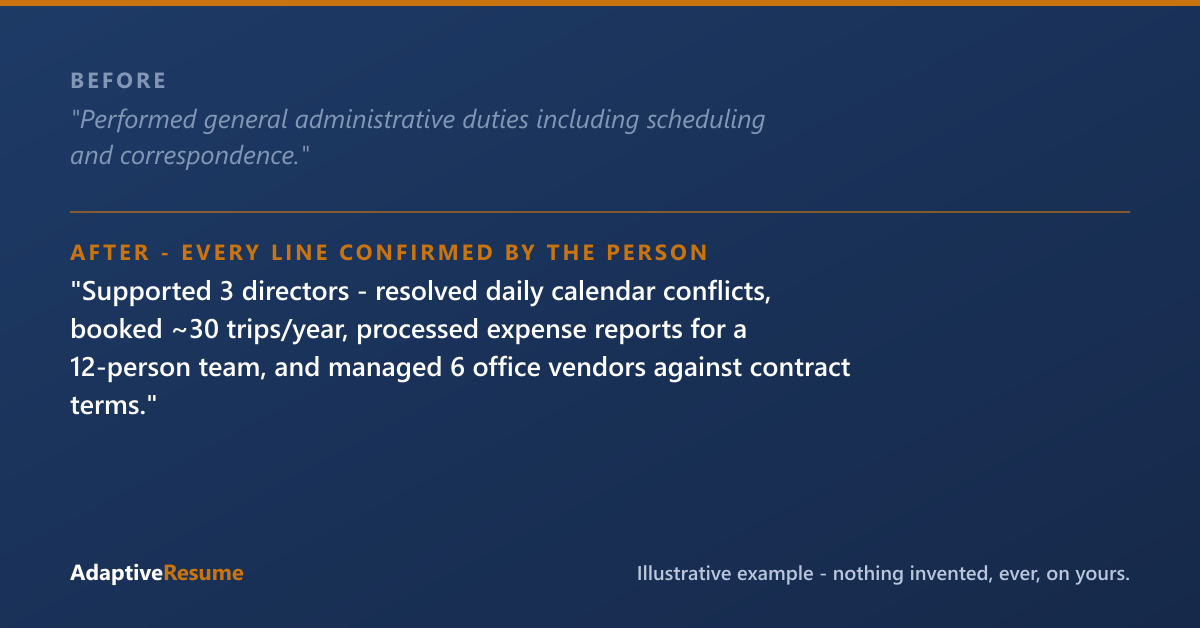
Illustrative example. Everything on your resume is yours: the experience you listed, plus the skills, tools, responsibilities, and credentials your work already involved, each added only after you confirm it’s true.
The Role Skills Checklist below walks through the inventory the job title hides. Our build does it with you — reads your history, proposes what it implies (the systems, the money, the trust), and asks you to confirm each one before it goes on your resume. The skills were always yours; they were just never on the page.
Common questions
Do I need a degree to get hired as an administrative assistant?
Usually no — many admin roles hire on demonstrated skills and steadiness, not credentials. If you have relevant coursework or certificates (Microsoft, bookkeeping, notary), list them exactly; if not, let the systems you run and the scope you handled carry the resume.
Should I use the title my company gave me or the one that matches the job I want?
The title your employer gave you, always — titles are verifiable. If your real scope outgrew the title, keep the honest title and let the bullets state the scope: 'absorbed office-manager responsibilities' says it truthfully.
How far back should an administrative assistant resume go?
Ten to fifteen years of relevant detail is plenty; older roles can compress to a single line. Admin hiring reads for current systems and steadiness — a 1998 filing job doesn't help, but an unexplained gap hurts, so account for your timeline honestly.
Role Skills Checklist
Pop your email in and the download unlocks right here. Joining our list also takes 25% off your first purchase within 30 days of joining, when you create your account with this same email. We'll also send the occasional useful note. No spam.
Download: Role Skills ChecklistThanks, you're on our list, and your download is ready just above. Your 25% off a first purchase is good for 30 days from the day this email joined our list.
That email didn't look right — mind trying it again?
Ready to do this on your own resume?
We'll find what you've left off, and nothing goes on your resume that you didn't give us or confirm.
Get your resume build — $29Every purchase is one payment, and nothing renews. A single resume build can be used any time within 12 months of buying it, and AR Pass builds you don't use end when its 90 days end.
Try the demo first — a sample review, no sign-up · See how the service works
Paid a resume service and got a template back? Start at Fix my resume.